Case Study 2 - Windows
Part of the file system viewers case study.
This error appeared every time I inserted an audio CD into the PC; I have no idea what it is on about:

The following error arose if I then attempted to play the audio CD from Explorer (double-click or File > Play). I know what is really wrong (a damaged “N/A” Folder Options setting) but even so, it is still a dumb message. How many people would be able to use Folder Options to repair this situation? (At least the drive and protocol types are listed at the top of File Types as of XP, which is a start.)

Apparently, the following CD has free space on it:

The Properties window for the Downloads shortcut on my desktop is broken. If I click Find Target, instead of the Downloads folder appearing, I get a search window instead. Thereafter, none of OK, Cancel or the close box will get rid of the Properties dialog until I switch tabs a few times. And you can see what a mess the tabs get themselves into:


Even weirder, this problem is still there many months later. The shortcut works fine otherwise.
In the following picture, DVD-ROM drive E contains a DVD according to one window and a CD according to the other (“Files Currently on the CD”):

That said, Explorer is convinced that I have inserted a 4 gigabyte volume into a “CD drive”:

The next one stuns me. Apparently, Explorer believes that text files can be malicious and kept warning me every time I tried to open one:

Even ones that I had just created myself. It also believes that 192.168.0.0/16 addresses constitute part of the Internet, so there you have it.
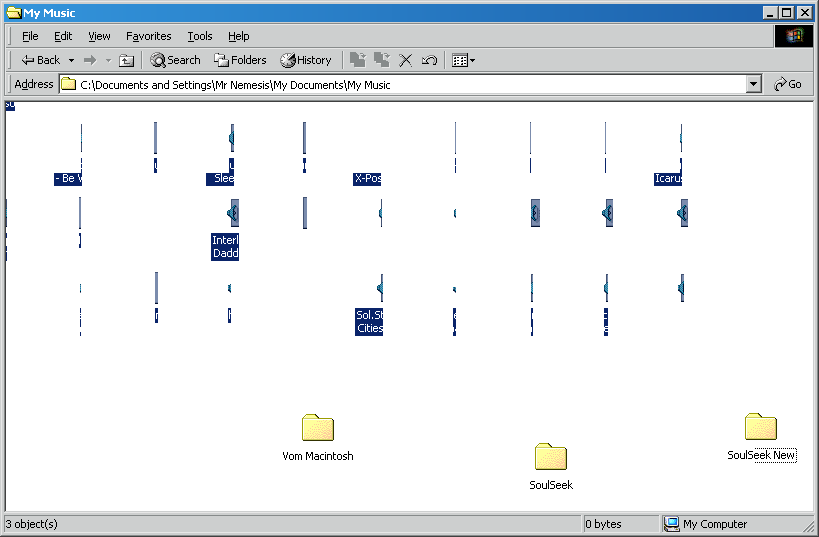
In the next screenshot, I had just moved a bunch of files from the current window to a child window. Explorer was reluctant to clear up after itself:
While marshalling a section of my screenshots collection, Explorer randomly showed a bunch of folders as Notepad files:

I took a screenshot of this (naturally), so it turned all the folder icons into thumbnails of the new screenshot!
